
Export Project List in the TruckIT Portal
Download a list of your active or archived projects from Projects and Sites in a few clicks.
TruckIT · Projects & Sites

Jump to a Section
Export Your Projects Report
You can export a report of your active or archived projects from the TruckIT Portal.
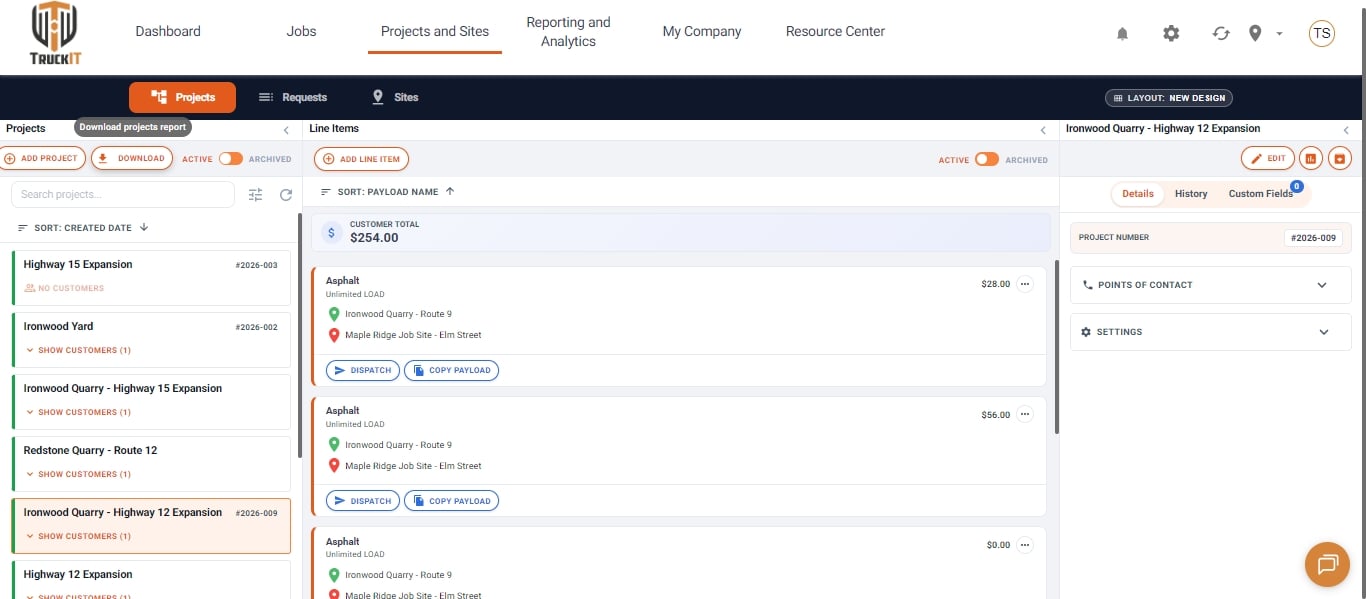
1. Open Projects and Sites. Go to the Projects and Sites tab to view your projects.
2. Choose Active or Archived. Use the Active / Archived toggle at the top of the Projects column to pick which projects to export.
3. Click Download. Click the Download button next to Add Project to export the projects report file.
Related Articles
 Questions? support@truckit.com