
Live Now
TruckIT · Product Update

TL;DR
What’s New
– Auto open ticket at pick-up Web Mob
– Job reopens when load count increases Web Mob
– Edit offline hauler names Web
– Sub-hauler editing & reconciliation disabled Web
– Error message below Save button Web
– More required fields for draft payloads Web
– Archive a company region Mob
Quality-of-Life Fixes
– Hauler map no longer crashes Web
– Duplicate regions fixed Web
– iOS app starts faster Mob
– UI switches correct on newer iOS Mob
Web Portal — What’s New
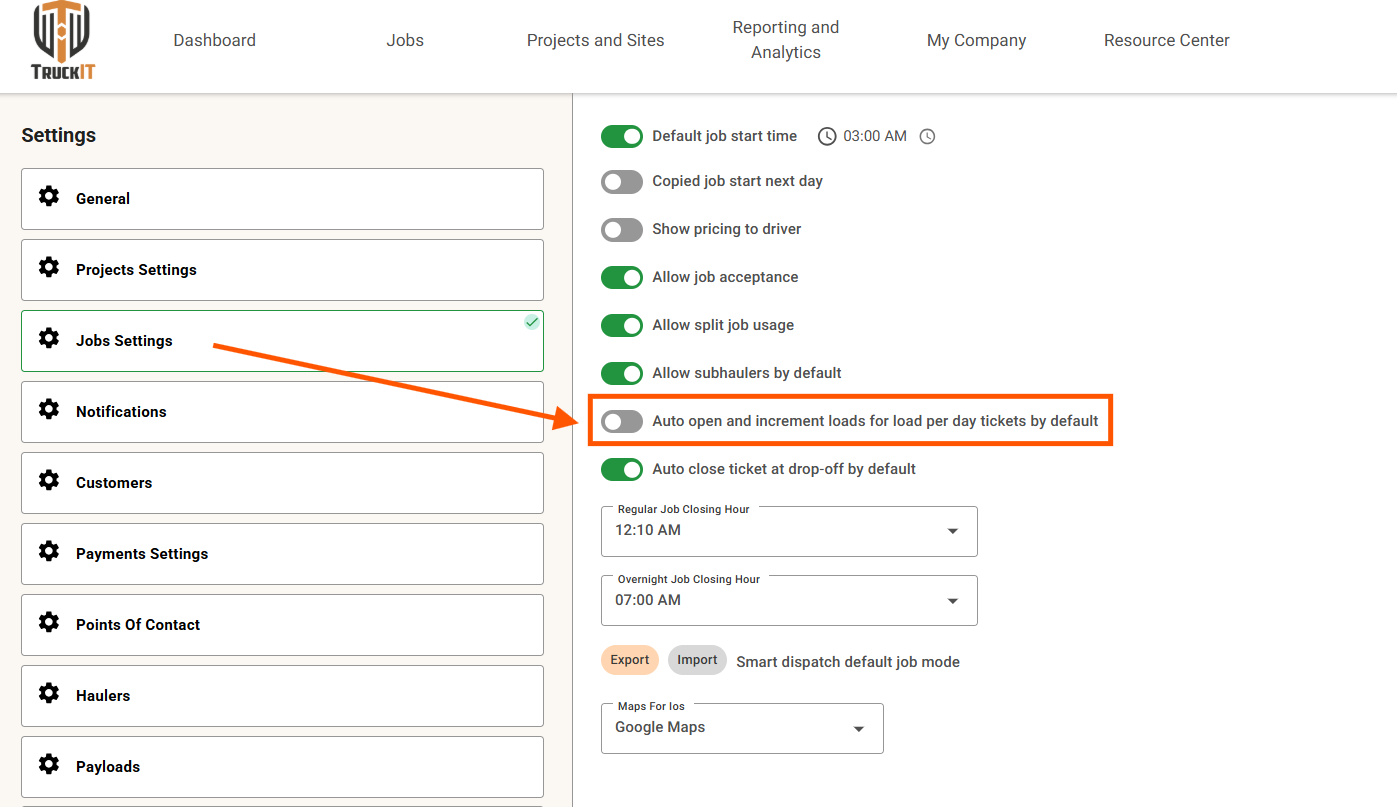
Auto Open Ticket at Pick-up
What it isA new setting that automatically tracks load counts as the truck enters pick-up and drop-off locations. Currently available for ticket-per-day jobs — the driver still manually opens the ticket at the start of the job and closes it at end of day. Load-per-load support, where the ticket will open automatically, is coming next release.
Why you’ll careLoad counts stay accurate without extra steps from the driver. When load-per-load support arrives next release, tickets will open automatically at pick-up — no action required.
Job Automatically Reopens When Load Count Is Increased
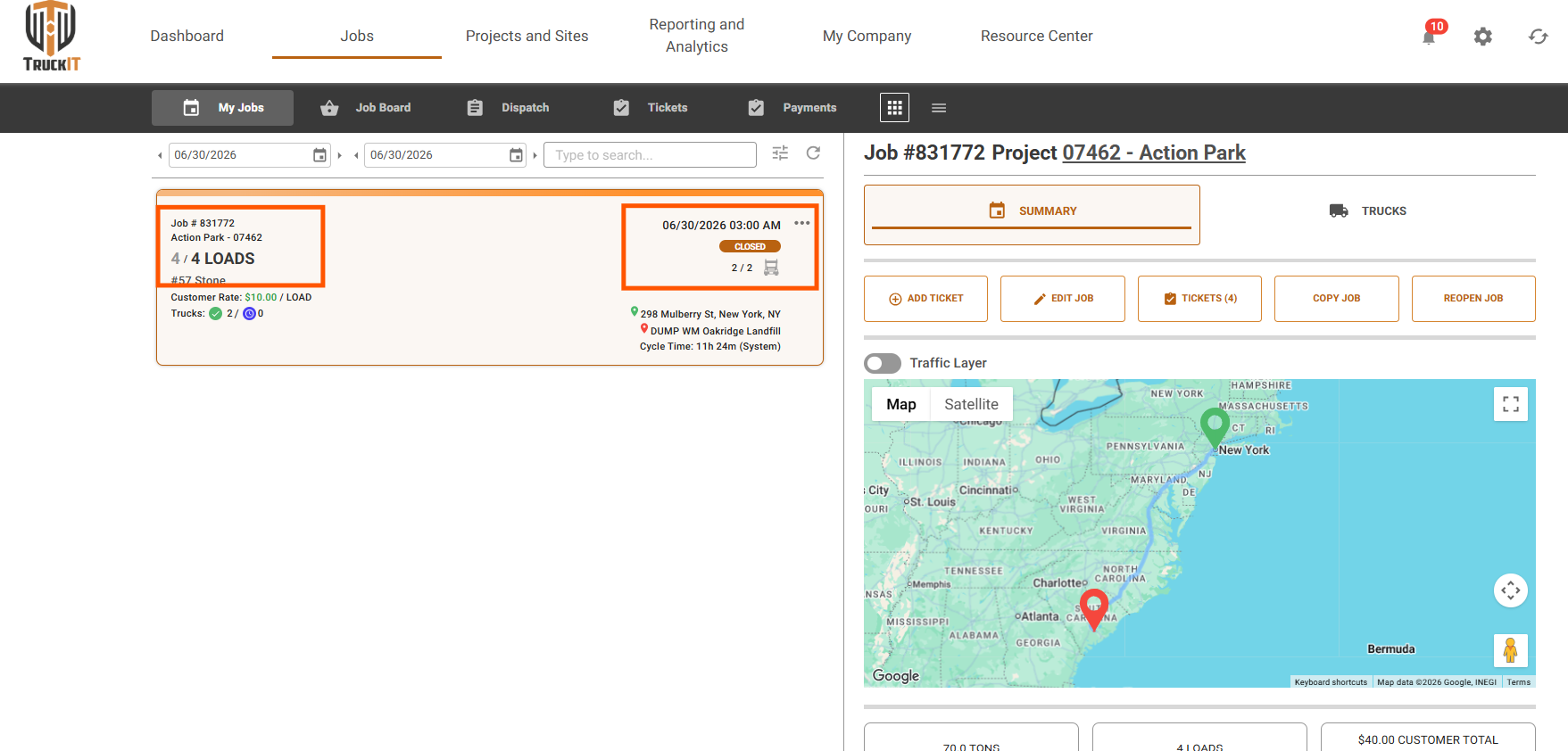
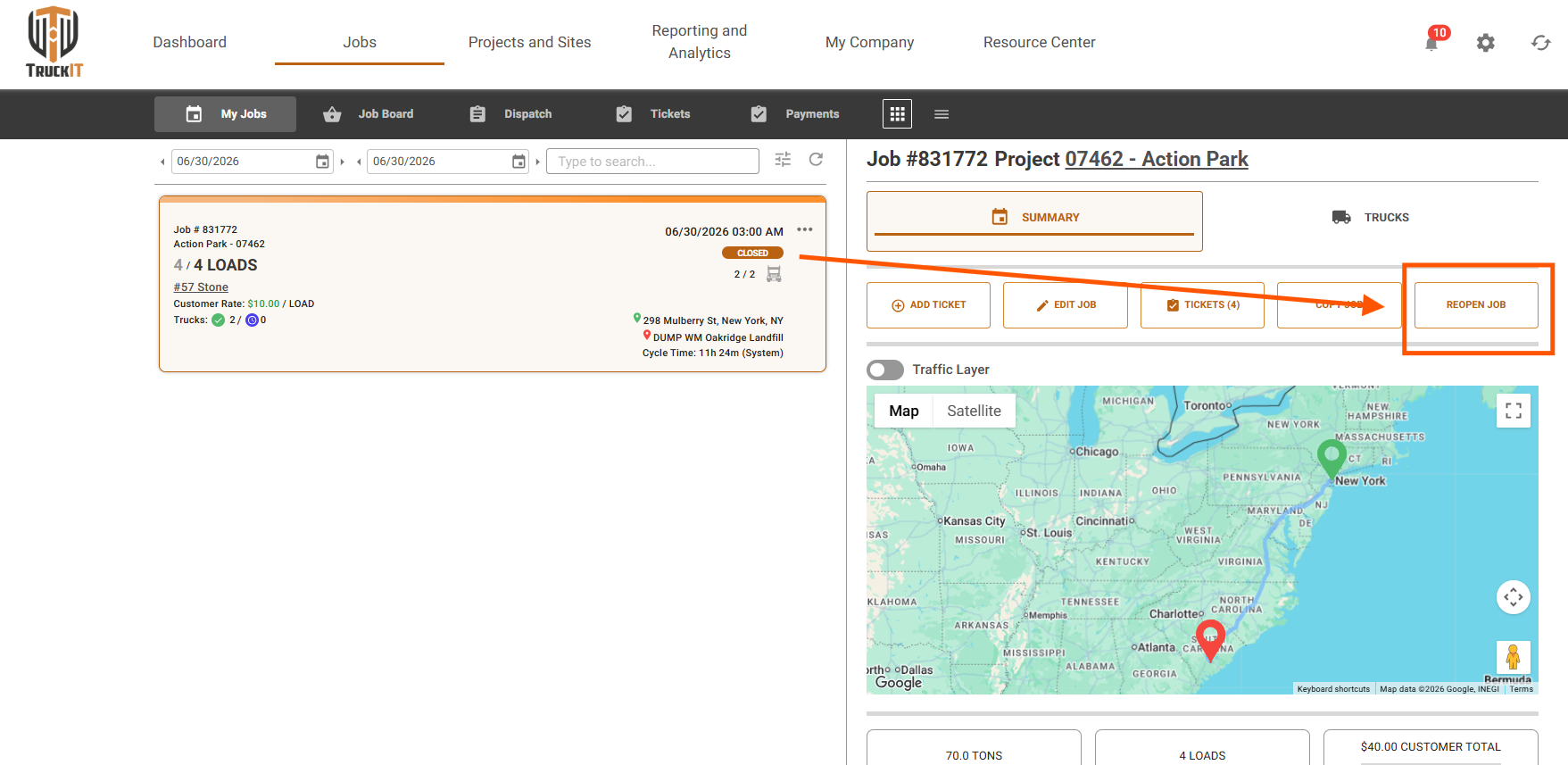
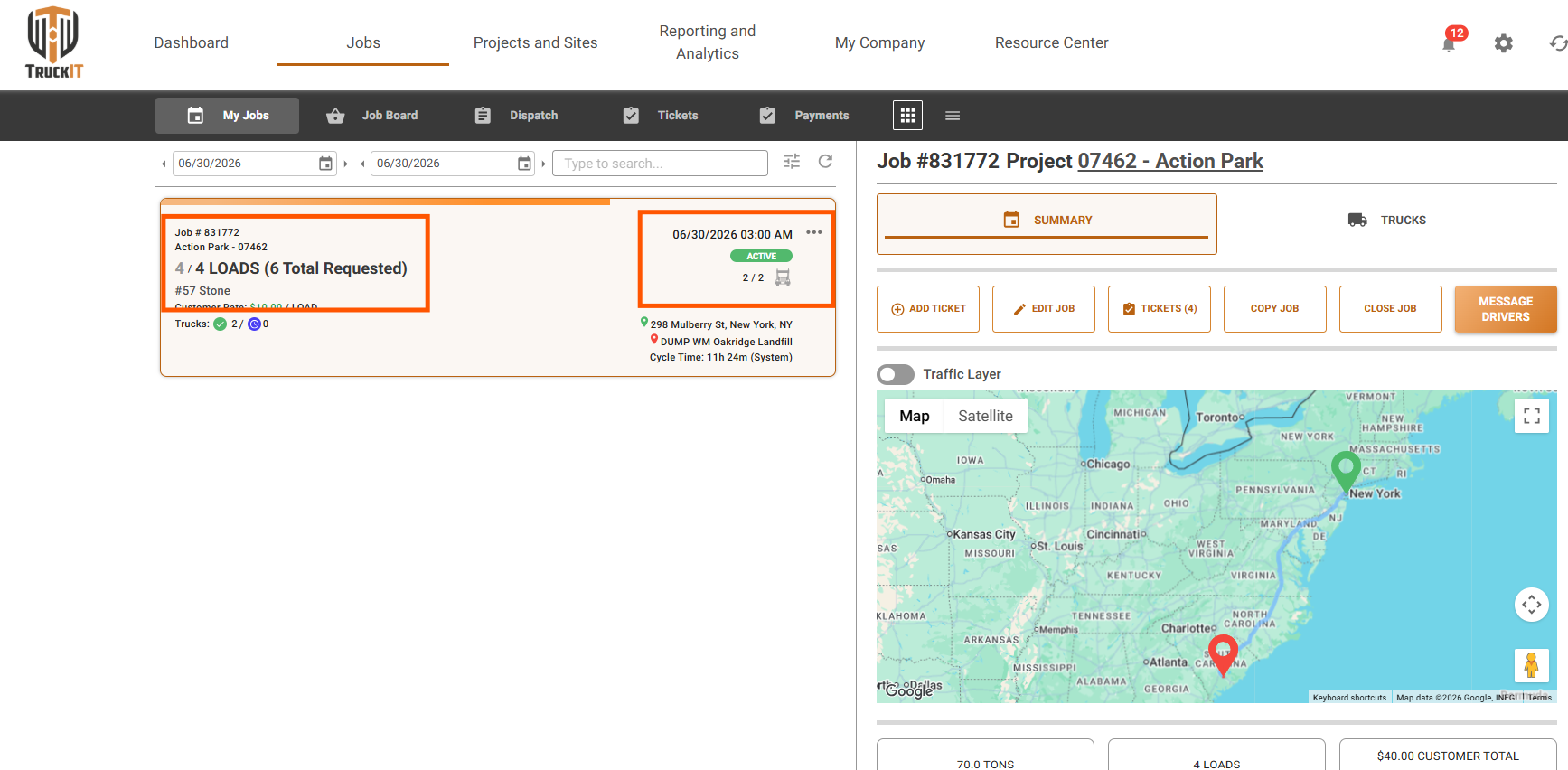
What it isWhen a driver closes their assignment after completing their loads and a dispatcher increases the load count, the driver’s assignment automatically reopens. Note: only the driver’s individual assignment is reopened — the overall job remains open throughout.
Why you’ll careNo manual coordination needed to get a driver back on track. The update happens automatically, keeping everyone in sync without extra steps.
Edit Offline Hauler Names
What it isDispatchers can now edit the names of offline haulers directly from the portal.
Why you’ll careKeep hauler records accurate over time with a quick edit — no need to delete and recreate entries.
Sub-hauler Editing & Reconciliation Disabled New Feature
What it isThis is a feature flag that prevents sub-haulers from editing records or initiating the reconciliation process. It is not enabled by default — clients who want it added to their account need to reach out to customer support.
Why you’ll careTighter control over data accuracy when working with sub-haulers — changes go through the right channels.
Error Message Now Shown Below the Save Button
What it isWhen saving fails, the error message now appears directly below the Save button.
Why you’ll careFeedback is right where you’re looking — easier to spot and act on without searching the page.
More Required Fields for Draft Payloads
What it isDraft payloads now require additional fields to be completed before they can be saved.
Why you’ll carePayloads go out with complete, accurate information from the start — fewer follow-up corrections.
Suggested action: Try the new features in the portal. If something looks off, do a hard refresh (Ctrl + R or Cmd + Shift + R) and clear your cache.
Mobile App — What’s New
Auto Open Ticket at Pick-up
What it isLoad counts are tracked automatically as the truck enters pick-up and drop-off locations. Currently available for ticket-per-day jobs — the driver still manually opens the ticket at the start of the job and closes it at end of day. Load-per-load support, where the ticket will open automatically, is coming next release.
Why you’ll careLoad counts stay accurate without extra steps from the driver. When load-per-load support arrives next release, tickets will open automatically at pick-up — no action required.
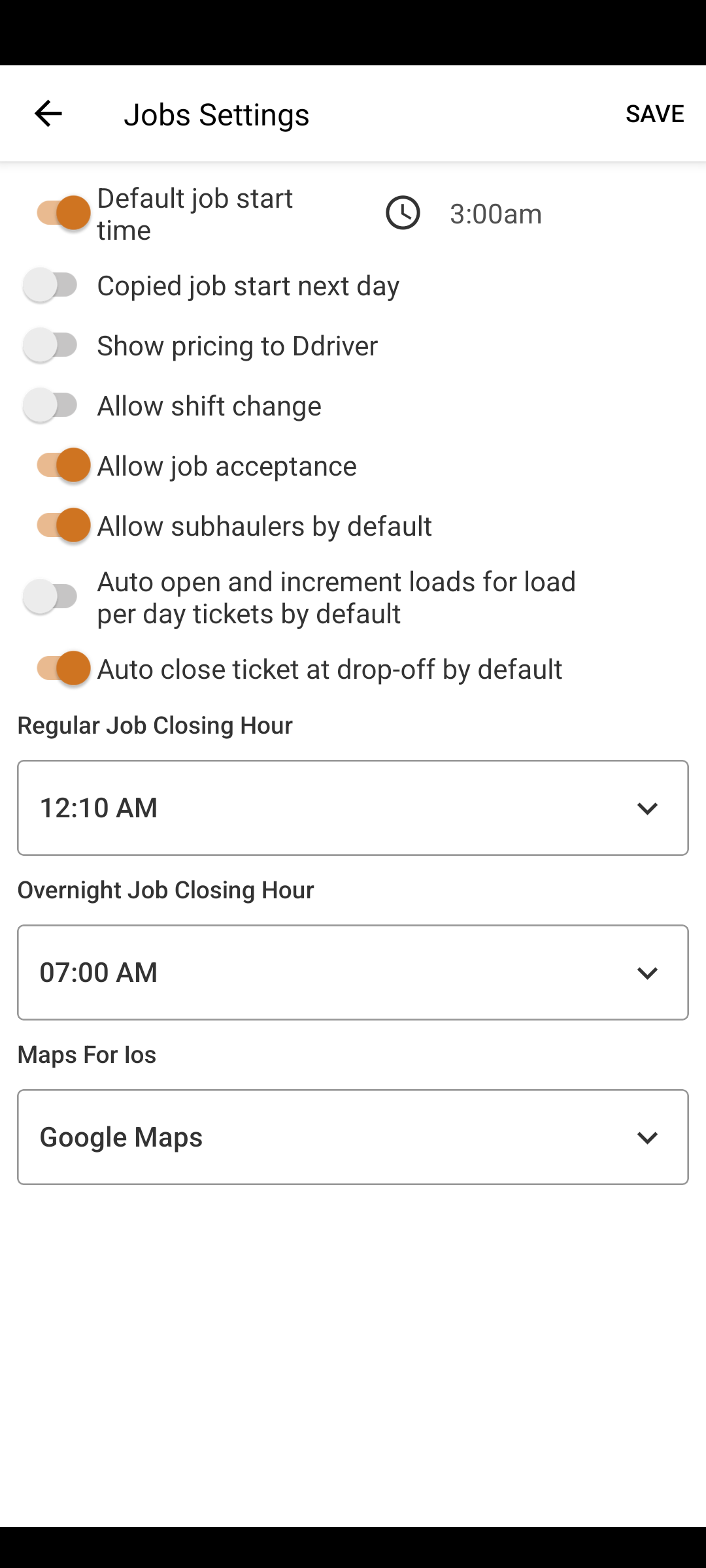
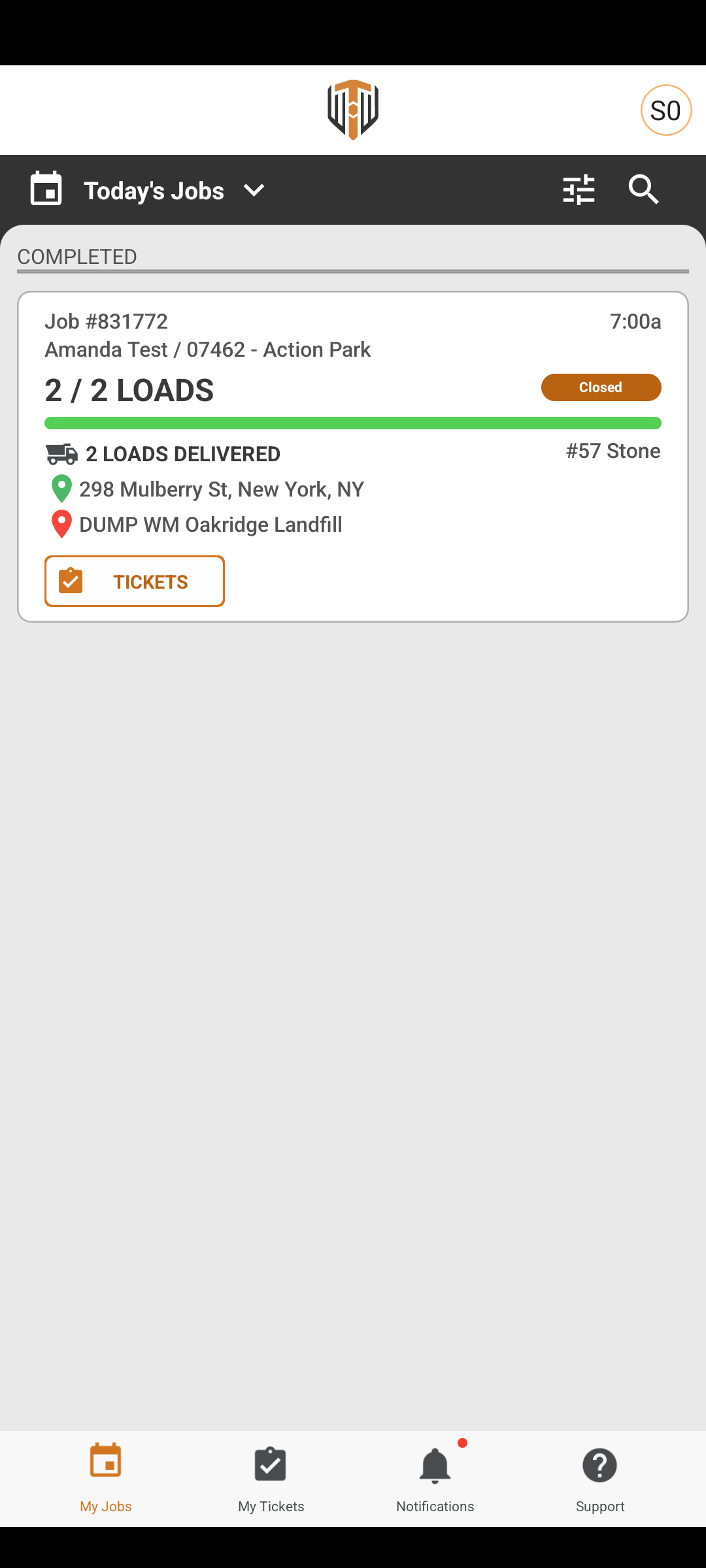
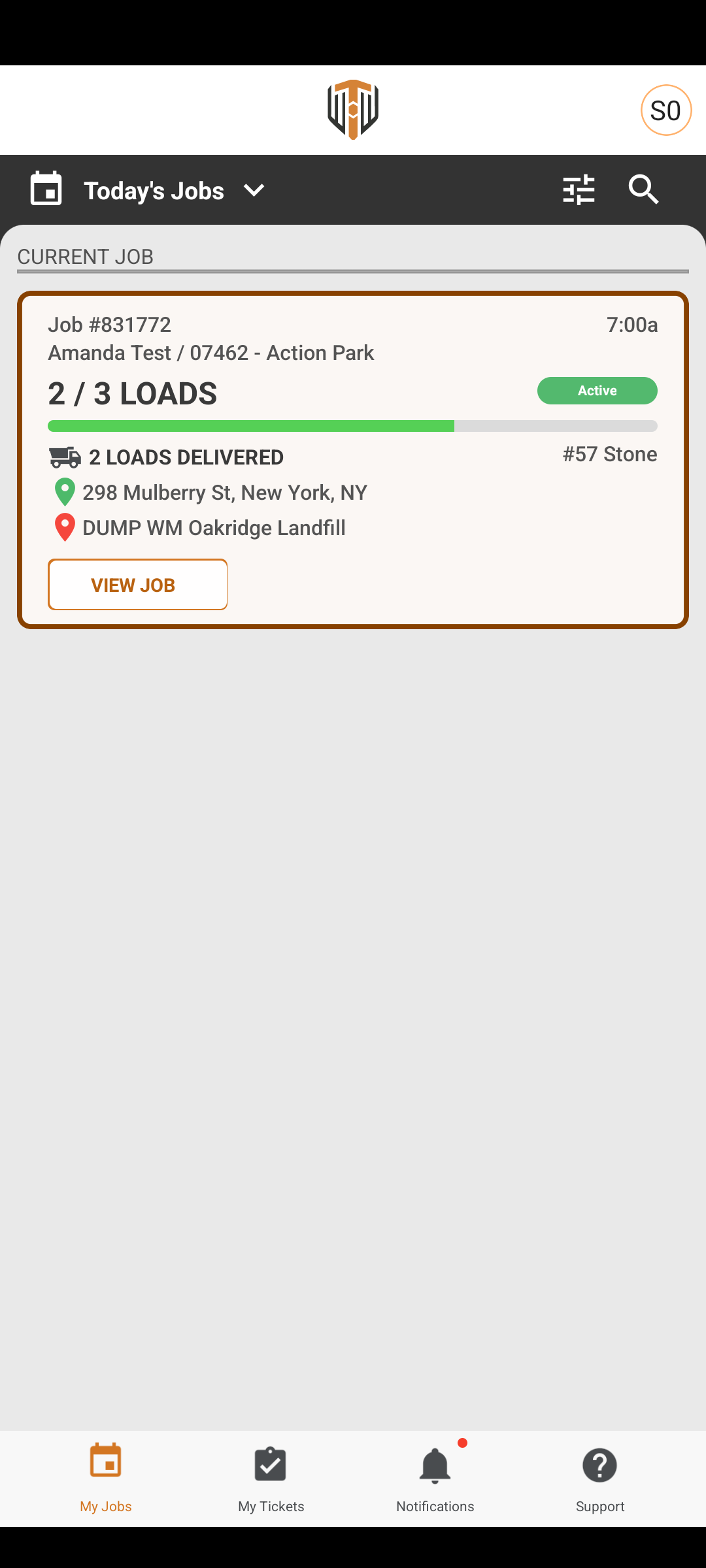
Job Automatically Reopens When Load Count Is Increased
What it isIf a dispatcher increases the load count after a driver has closed their assignment, the driver’s assignment reopens automatically on their device. The overall job remains open — only the driver’s individual assignment is affected.
Why you’ll careDrivers see the update instantly on their device — no waiting for a call from the dispatcher.
Archive a Company Region
What it isRegions no longer in use can now be archived directly from the mobile app.
Why you’ll careYour region list stays clean and focused without permanently removing historical data.
Suggested action: Update your team’s mobile app so everyone has access to these improvements, then share the changes with your field team.
Quality-of-Life Fixes
Hauler map no longer crashes Web
A crash when loading the hauler map has been resolved. The map now loads reliably.
iOS app starts faster Mob
The TruckIT iOS app has been optimized for a faster launch on every open.
Duplicate regions in dropdowns fixed Web
Region entries that were appearing more than once in dropdowns now appear exactly once.
UI switches correct on newer iOS Mob
Toggle switches now display and function correctly across all supported iOS versions.
What you might want to do
Review: Check the Auto Open Ticket at Pick-up setting in the portal — enabling it saves your drivers a step at every pick-up. Also try the updated Dispatch view for the new sticky buttons and improved error messaging.
Update Mobile App: Ensure your team is on the latest version to get automatic job reopening, the Auto Pick-up feature, and the faster iOS start-up.
Recommendation: Share this update with dispatchers, drivers, and contractors so all roles are aligned on the new workflows.
 Questions? support@truckit.com