
Live Now
TruckIT · Product Update

TL;DR
What’s New
– Per-Truck-Type Rates for Payloads Web Mob
– Edit/reconcile hourly-per-day tickets without loads Web Mob
Quality-of-Life Fixes
– Loads/CYs display order fixed on ticket tile & details Web
– Job Details material total fixed Web
– Truck assignments now validated on bulk dispatch Web
– Ext. Ref now saves on Load + Cubic combo tickets Web Mob
– Truck volume capacity now returns correctly on reconcile Web Mob
– Transparent OS footer now supported Mob
– Can’t close a parent ticket offline — fixed Mob
– Job Notes keyboard bug fixed Mob
– Reusable tickets no longer blocked on failed trailer validation Mob
– Android: signature submission now redirects to ticket list Mob
Web Portal — What’s New
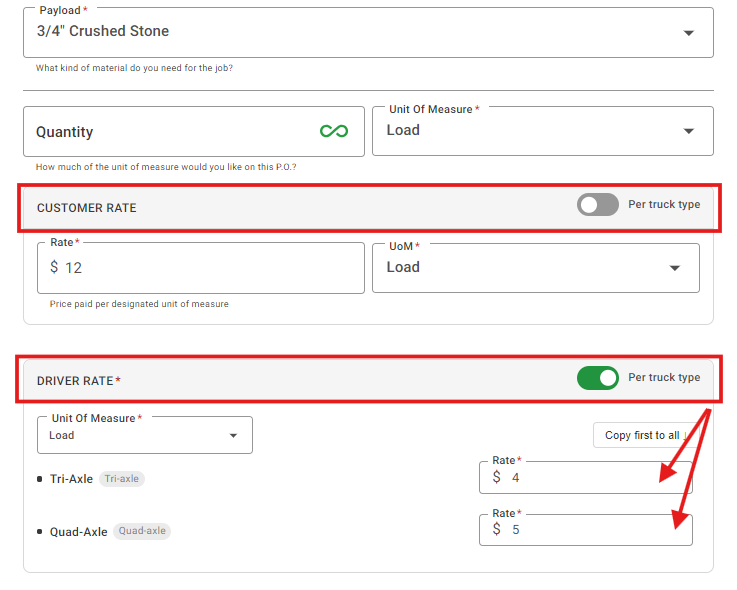
Per-Truck-Type Rates for Payloads
What it isYou can now set different pricing rates by truck type directly on payloads, instead of a single flat rate per payload. Define rates at the truck-type level with sensible defaults, and the system auto-classifies truck types and resolves ticket pricing automatically based on which truck actually ran the load.
Why you’ll careMore accurate job costing and invoicing when different truck types haul the same job — no more manual rate overrides or after-the-fact spreadsheet reconciliation.
Edit & Reconcile Hourly-Per-Day Tickets Without Loads
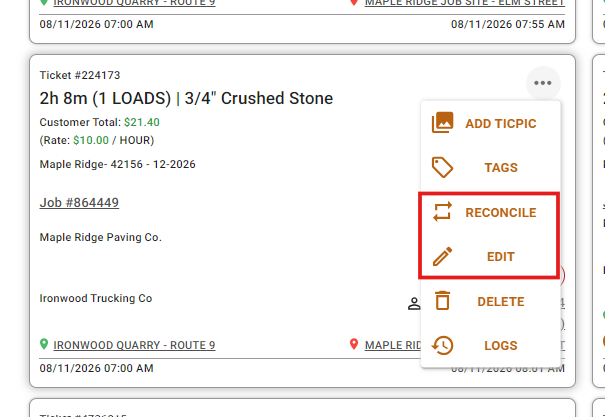
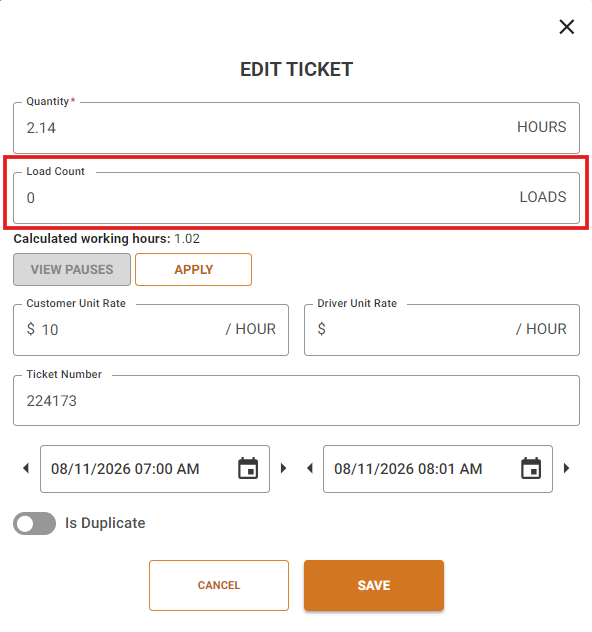
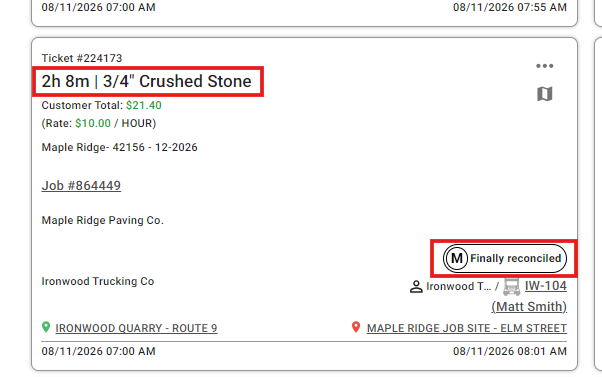
What it isHourly-per-day tickets can now be edited and reconciled even when they don’t have any loads recorded.
Why you’ll careNo more getting stuck on tickets that don’t fit the standard load pattern — they reconcile like everything else.
Suggested action: Review your payloads and set truck-type-specific rates wherever pricing varies by truck type — this replaces manual rate overrides on tickets after the fact.
Mobile App — What’s New
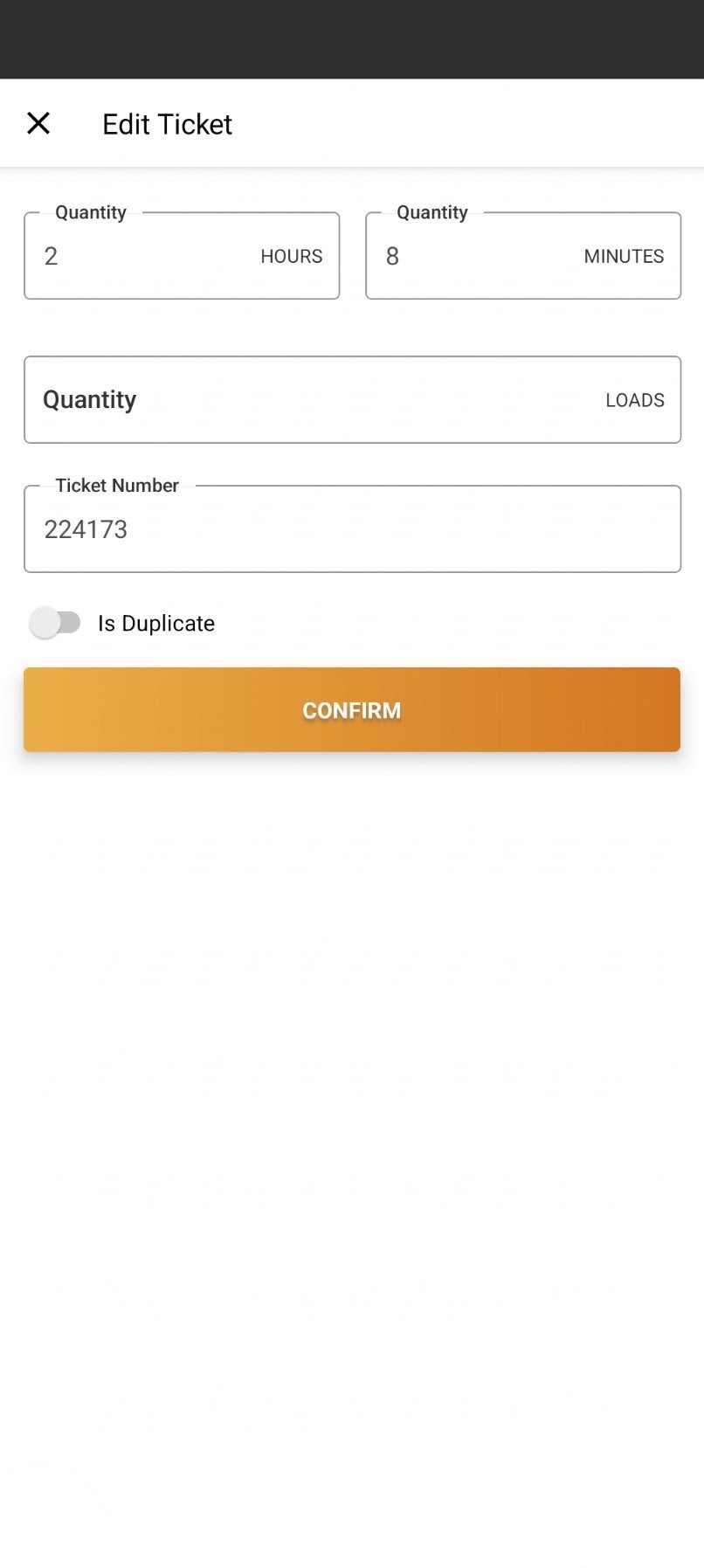
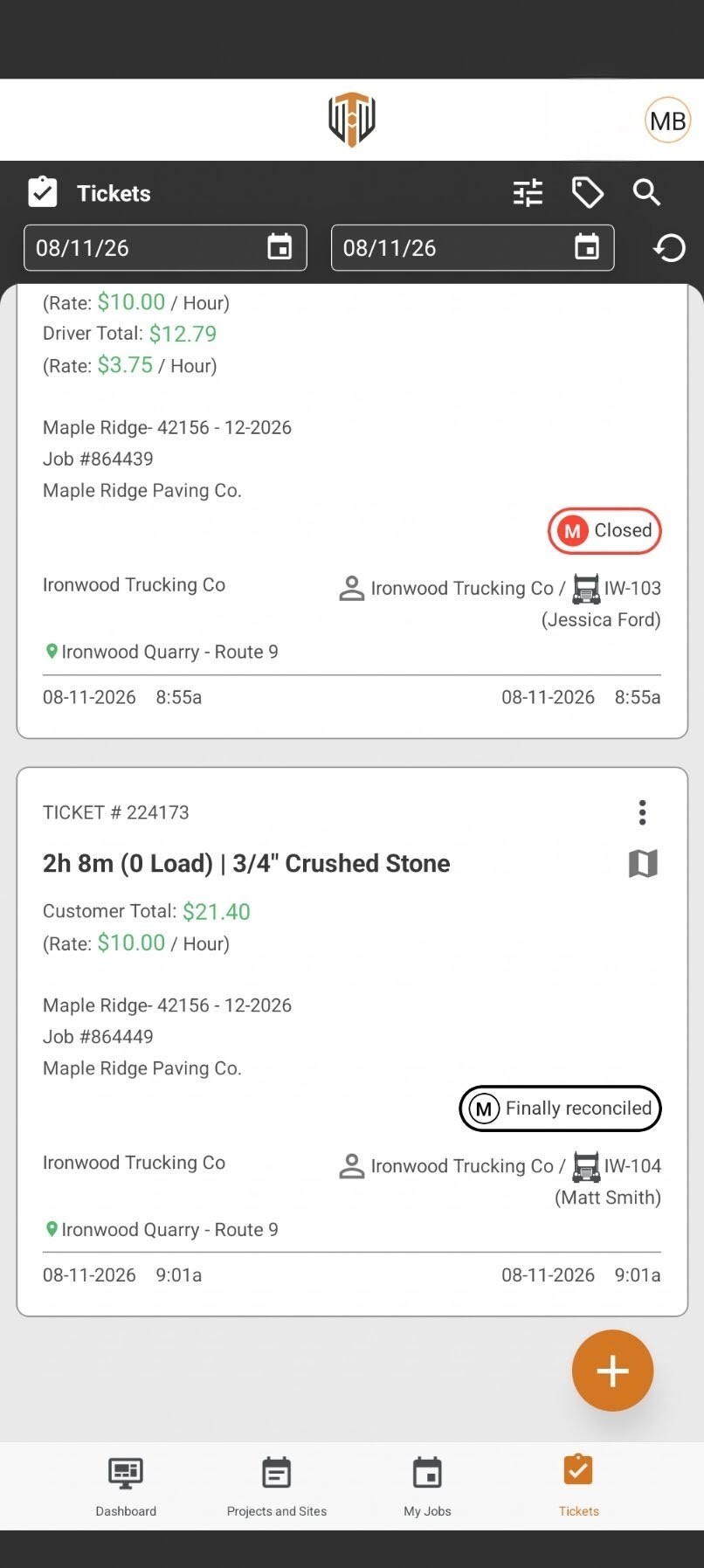
Edit & Reconcile Hourly-Per-Day Tickets Without Loads
What it isDrivers and back-office users can now edit and reconcile hourly-per-day tickets directly from the app, even when the ticket has no loads attached.
Why you’ll careEliminates a dead-end that used to block ticket closeout — hourly tickets now flow through reconciliation like every other ticket type.
Per-Truck-Type Rates for Payloads
What it isTicket pricing on mobile now reflects the same truck-type-specific rates configured on payloads in the Web Portal.
Why you’ll careDrivers see accurate, up-to-date pricing on tickets no matter which truck type they’re running.
Suggested action: Update your mobile app to the latest version from the App Store or Google Play to get these changes.
Quality-of-Life Fixes
Loads/CYs Display Order Fixed Web
Loads and Cubic Yards now display in the correct order on the ticket tile and ticket details for the New UOMs.
Job Details Material Total Fixed Web
Fixed the Material Total on the Job Details page, which wasn’t calculating correctly.
Bulk Dispatch Truck Validation Web
Truck assignments are now validated during bulk dispatch, the same as one-at-a-time dispatch.
Ext. Ref Now Saves on Load + Cubic Combo Tickets Web Mob
Fixed the External Reference not being saved for the Load + Cubic combo ticket type.
Truck Volume Capacity Fixed on Reconcile Web Mob
Truck volume capacity is now returned correctly on reconcile for the Load + Cubic combo ticket type.
Transparent OS Footer Supported Mob
The app now supports a transparent OS footer.
Offline Mode — Parent Ticket Close Fixed Mob
Fixed being unable to close a parent ticket while offline.
Job Notes Keyboard Bug Fixed Mob
Fixed a keyboard bug affecting Job Notes entry.
Trailer Validation No Longer Blocks Pickup Mob
Reusable tickets are no longer blocked from pickup when trailer validation fails.
Android Signature Submission Redirect Fixed Mob
Submitting a signature on Android now correctly redirects back to the tickets list.
What you might want to do
Set Up Truck-Type Rates: Review your payloads and set truck-type-specific rates wherever pricing varies by truck type — this replaces manual rate overrides on tickets after the fact.
Re-check Bulk Dispatch: If you dispatch in bulk, review recent batches now that truck assignments are validated — flag anything that may have slipped through before this fix.
Update Mobile App: Update to the latest version to get hourly-ticket reconciliation, the offline and trailer-validation fixes, and this sprint’s other mobile improvements.
 Questions? support@truckit.com