
Live Now
TruckIT · Product Update

TL;DR
What’s New
– Hauler Rate Unit of Measure Web Mob
– “Without Region” Filter Web
– Price Icon for $0 Truck Type Rates Web
– Outdated QuickBooks Desktop Button Removed Web
– Date Ranges in Messages Mob
Quality-of-Life Fixes
– Cost Report Includes Manual Tickets Web
– Consistent Hourly Ticket Totals Web
– Report Cost Columns Show Real Values Web
– Region Report Error Fixed Web
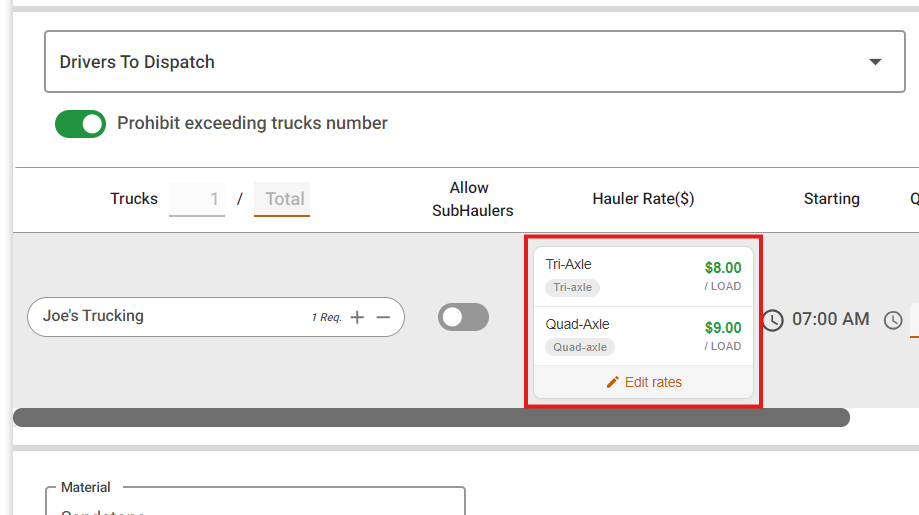
– Grid Dispatch Respects Truck Count Web
– Cubic Yards Handling Improved Web
– Cleaner TicPic Report Notifications Web
– Notes Show on View Job Mob
– Scanner Startup Error Fixed Mob
– iOS Display Fixes Mob
Web Portal — What’s New
Hauler Rate Unit of Measure on the Job Form
What it isThe job form now shows the unit of measure next to the hauler rate (for example, per ton, per load, or per hour), on both the web portal and the mobile app.
Why you’ll careNo more guessing what a rate is based on. See the Mobile section below for more.
“Without Region” Filter
What it isThe Region filter on the Dashboard, My Fleet, and other pages now includes a “Without Region” option, which shows only the records that haven’t been assigned to a region yet.
Why you’ll careQuickly find trucks, users, and jobs that slipped through without a region, so you can assign them and keep your regional views accurate.
Price Icon for $0 Truck Type Rates
What it isWhen a payload is priced by truck type, a price icon now appears on the payload if at least one truck type’s customer rate is set to $0.
Why you’ll careA $0 customer rate is easy to overlook in a long list of truck types, and any job run with that truck type would bill the customer nothing. The icon lets you spot and fix it before the work goes out.
Outdated QuickBooks Desktop Button Removed
What it isWe removed a QuickBooks Desktop button from the web portal that no longer worked. This is a cleanup only. Your QuickBooks integration with TruckIT is not affected.
Why you’ll careYou can keep using QuickBooks with TruckIT exactly as you do today, with no changes needed on your end. There’s just one less dead-end button to click.
Suggested action: Try the “Without Region” filter on My Fleet to catch any trucks that still need a region, then check payloads priced by truck type for the $0 rate icon.
Mobile App — What’s New
Hauler Rate Unit of Measure on the Job Form
What it isWhen you create or view a job in the app, the hauler rate now shows its unit of measure (for example, per ton, per load, or per hour) right next to the price.
Why you’ll careEveryone sees exactly how a job pays before accepting or dispatching it, which means fewer pay questions after the work is done.
Date Ranges in Messages
What it isYou can now include a date range when sending a message from the app.
Why you’ll careMake it clear which days a message covers, like an availability window or a schedule change, without typing the dates out.
Suggested action: Update to the latest version of the TruckIT app to see hauler rate units, date ranges in messages, and this sprint’s fixes.
Quality-of-Life Fixes
Cost Report Includes Manual Tickets Web
Grouping the Cost Report by driver now includes manually entered tickets, so driver totals are complete.
Consistent Hourly Ticket Totals Web
An hourly ticket’s total could change slightly if it was saved again in the web portal after closing, because hours were rounded differently. The total now stays the same.
Report Cost Columns Show Real Values Web
The cost and cost-per-cubic-meter columns in reports no longer show “Null” or “Undefined” instead of a value.
Region Report Error Fixed Web
Additional reports no longer fail to load when you filter by “Without Region.”
Grid Dispatch Respects Truck Count Web
Grid dispatch on the Job Board no longer lets you assign more trucks than the job requested.
Cubic Yards Handling Improved Web
Improved how Cubic Yards works as a unit of measure from job to ticket.
Cleaner TicPic Report Notifications Web
TicPic report messages in the notification feed no longer show an extra icon and tooltip that didn’t apply to them.
Notes Show on View Job Mob
Job notes now appear on the View Job screen as expected.
Scanner Startup Error Fixed Mob
Fixed a license error that could stop the in-app scanner from starting.
iOS Display Fixes Mob
Cleaned up several layout and design issues in the iPhone app.
What you might want to do
Check your truck type rates: Look for the price icon on payloads priced by truck type, and update any customer rate that’s still set to $0.
Clean up regions: Use the “Without Region” filter to find and assign anything that’s missing a region.
Re-run driver Cost Reports: If you group the Cost Report by driver, re-run it for recent periods. Manual tickets are now included.
Update your mobile app: Get the latest version for hauler rate units, message date ranges, and this sprint’s fixes.
 Questions? support@truckit.com